
The best money-saving apps and browser extensions do the deal-finding work for you-automatically applying coupons, finding cash back, alerting you to price drops, and stacking savings at checkout without any manual searching. Used together strategically, these tools can cut family spending by hundreds of dollars per year with very little effort. Everything in this guide focuses on best money-saving apps browser, giving you practical, actionable advice you can use right away.
What Every Family Should Know About Best Money-saving Apps Browser
This guide covers the best tools in each category, what they actually do, and how to combine them for maximum savings at every store you shop.
Best money-saving apps browser is a topic that deserves thoughtful attention from every family, regardless of their current situation. When it comes to best money-saving apps browser, small consistent actions tend to produce better long-term results than occasional bursts of effort. Most families find that investing time in understanding best money-saving apps browser pays off in ways that extend well beyond the immediate benefit.
Automatic Coupon and Cash Back Extensions
?? Honey (Now PayPal Rewards) — Not Recommended
?? Update (2025): Honey and PayPal Rewards are no longer recommended. In late 2024, Honey was found to be hiding better coupon codes from users and redirecting affiliate commissions away from creators — the opposite of what it claims to do. Following widespread fraud allegations, the extension lost roughly 8 million of its 20 million Chrome users. We recommend Capital One Shopping or Rakuten instead (both covered below).
Our recommendation: Skip Honey entirely. Capital One Shopping offers the same automatic coupon testing without the trustworthiness concerns, and Rakuten adds reliable cash back on top of any discount codes.
Rakuten (Formerly Ebates)
Rakuten is the most popular cash back shopping portal, offering 1–15% cash back at thousands of retailers. You install the browser extension, and when you visit a participating store, Rakuten activates automatically, tracking your purchase and issuing cash back to your account. Payouts come quarterly as a check or PayPal deposit.
Rakuten consistently offers some of the highest cash back rates and runs double cash back events during major sale seasons. For families making regular online purchases, Rakuten cash back adds up fast, $100–$300/year isn’t unusual for active shoppers.
Best for: Online shopping cash back; set it and forget it approach that passively returns money on purchases you’d make anyway.
Capital One Shopping
Capital One Shopping (available to anyone, not just Capital One customers) combines automatic coupon testing with a price comparison feature. When you shop on Amazon, it shows whether the same product is available cheaper at other retailers. It also tracks price history and can alert you when an item you’ve saved drops to your target price.
Best for: Price comparison alongside coupon finding; especially useful for ensuring you’re getting the real best price on Amazon purchases.
RetailMeNot Browser Extension
RetailMeNot aggregates coupon codes across thousands of retailers and applies them automatically at checkout, similar to Honey. It also offers cash back at many stores. RetailMeNot’s database of in-store printable coupons and promo codes is one of the largest available.
Best for: Backup coupon finder to run alongside Honey or Capital One Shopping.
Grocery Savings Apps
Ibotta
Ibotta is a cash back app for groceries and household purchases. Before shopping, you browse available offers (typically $0.25–$2 cash back on specific products), add them to your account, buy the products, and then submit your receipt through the app or link your loyalty card for automatic tracking. Cash accumulates and pays out to PayPal or Venmo once you reach the $20 minimum.
Ibotta works at most major grocery chains, Walmart, Target, Costco, and hundreds of other retailers. The cash back amounts seem small individually, but a family that does their grocery shopping through Ibotta consistently earns $20–$50 per month in cash back.
Best for: Regular grocery shoppers willing to take 5–10 minutes before each trip to select offers.
Fetch Rewards
Fetch Rewards is the simplest grocery cash back app-you just scan any grocery receipt (or link your accounts) and earn points on qualifying purchases without pre-selecting offers. Points convert to gift cards for Amazon, restaurants, and major retailers. The points-per-dollar rate isn’t as high as Ibotta when you’re strategic about offers, but Fetch requires essentially no effort: scan receipt, earn points, repeat.
Best for: Families who want passive savings without pre-planning; works on virtually any receipt.
Checkout 51
Checkout 51 is another receipt-based cash back app similar to Ibotta. Offers refresh weekly, covering major brands at any store. Upload your receipt and earn cash back on qualifying purchases. Works nationwide at any grocery store. Good as a supplemental app alongside Ibotta since offers don’t always overlap.
Grocery Store Apps (Your Store’s Own App)
Don’t overlook your primary grocery store’s own app-most major chains (Kroger, Safeway, Albertsons, Publix, Meijer, HEB, Stop & Shop) now offer digital coupons through their app that stack with sale prices. Loading available digital coupons before each grocery trip takes 3–5 minutes and saves $5–$20 on most shopping trips, often with no effort beyond tapping “load all coupons.”
Price Tracking and Alert Tools
CamelCamelCamel (Amazon Price History)
CamelCamelCamel.com tracks the complete price history of every Amazon product. Before buying anything significant on Amazon, check the price history to see if the current price is at a historical low, average, or temporary high. Set a price alert and CamelCamelCamel will email you when the item drops to your target price.
This tool prevents a common Amazon shopping mistake: buying during a “sale” that’s actually above the item’s normal price. Many Amazon “deal” prices are higher than the item’s regular selling price from 3 months ago.
Best for: Any Amazon purchase over $20-especially electronics, appliances, toys, and baby gear.
Google Shopping (Built Into Google Search)
When you search any product name on Google, the Shopping tab compares prices across dozens of retailers instantly. Before buying from any single retailer, run a quick Google Shopping search to confirm you’re getting a competitive price. This takes 30 seconds and frequently reveals a lower price at another store.
Slickdeals
Slickdeals is a community-driven deal aggregation site where users post and vote on the best deals across all retailers. The front page consistently surfaces exceptional deals that aren’t widely publicized. The Slickdeals browser extension also alerts you when items in your cart or on wish lists drop in price or become available at a better deal elsewhere.
The same price-monitoring logic applies to travel. If you ever book cruises or vacation packages, this free cruise price tracker from Atlas Travel monitors fares across sailings and alerts you when prices drop, the same concept as CamelCamelCamel but for cruises.
Best for: Discovering deals you weren’t actively looking for; excellent for major purchases when you have flexibility on timing.
Cash Back Credit Cards: The Ultimate Stacking Layer
The most overlooked savings tool is also the most powerful: a cash back credit card used for all family spending and paid off monthly. Used correctly (full balance paid each month), a cash back card adds 1.5–5% back on top of every discount, coupon, and sale you already use-without any additional effort.
The best family-friendly cash back cards:
- Chase Freedom Unlimited, 1.5% cash back on everything, 3% on dining and drugstores, no annual fee. Simple and reliable.
- Citi Double Cash, 2% cash back on everything (1% when you buy, 1% when you pay), no annual fee. Best flat-rate card available.
- Blue Cash Preferred from American Express, 6% back at US supermarkets (up to $6,000/year), 6% on select streaming services, 3% on transit and gas. $95 annual fee, but families who spend $3,000+ at grocery stores annually earn it back easily.
- Amazon Prime Rewards Visa, 5% back on all Amazon and Whole Foods purchases for Prime members, 2% on restaurants and gas, 1% elsewhere. No annual fee (beyond Prime membership).
Important: Cash back credit cards only save money if you pay the full balance every month. Carrying a balance at 20–27% APR eliminates any savings and creates significant debt. Only use a cash back card as a debit card substitute-spend what you have, pay it off monthly.
Budgeting Apps That Help You Save
YNAB (You Need a Budget)
YNAB is the most effective budgeting app available for families who want to get serious about spending. It uses a zero-based budgeting approach-every dollar gets assigned to a category before it’s spent-which eliminates the mystery of where money disappears. YNAB users consistently report saving more money than the app costs ($14.99/month or $99/year) within the first few months. There’s a 34-day free trial.
Mint (Now Part of Credit Karma)
Mint’s standalone budgeting app was shut down in January 2024 and merged into Credit Karma. Credit Karma retains basic spending categorization and credit-score monitoring, but Mint’s detailed budgeting features are largely gone. For a free alternative, try your bank’s own budgeting tools, or consider Monarch Money if you want a dedicated app.
Goodbudget
Goodbudget is a digital version of the envelope budgeting method-you allocate money into spending “envelopes” before the month starts and track spending against each envelope. The free tier covers basic household budgeting. Good for families already familiar with or transitioning to envelope budgeting.
How to Stack These Tools for Maximum Savings
The highest savings come from stacking multiple tools on a single purchase. Here’s how a strategic family grocery run looks:
- Load digital coupons in the grocery store’s app before shopping (save $5–$15)
- Browse Ibotta offers for products you’re buying and add them to your account (save $3–$10)
- Pay with a cash back credit card at checkout (earn 2–6% back depending on card)
- Submit your receipt to Fetch Rewards after shopping (earn additional points)
On a $150 grocery trip, this stack might return $15–$25 in total savings and cash back-a 10–17% effective discount on your normal shopping.
For online shopping:
- Check CamelCamelCamel or Capital One Shopping to confirm the price is genuinely good
- Activate Rakuten cash back for the store you’re buying from
- Use Capital One Shopping to auto-apply any available coupon codes at checkout
- Pay with a cash back credit card (especially the Amazon card on Amazon purchases)
Related Guides
- Couponing for Beginners: The Modern Guide to Saving on Groceries and More
- How to Save Money at Walmart: The Complete Savings Guide
- How to Save Money on Groceries: The Complete Guide for Families
For additional resources, Consumer Financial Protection Bureau is an excellent free resource families can rely on.
Frequently Asked Questions
Ibotta pays more per trip if you pre-select offers and buy the qualifying products. Fetch is better for passive, effortless savings-just scan any receipt and earn points. Most families benefit from using both: Ibotta for intentional savings on planned purchases, Fetch for passive points on everything else.
Honey finds the best code in its database, but it doesn’t have every code from every source. It’s an excellent first line of defense, but if the savings matter on a bigger purchase, it’s worth cross-checking RetailMeNot or the store’s own promotions page.
Yes-Rakuten handles cash back (you earn a percentage of your purchase), while Honey handles coupon codes (you save at checkout). They work independently and stack. Activate Rakuten through the extension, then let Honey apply coupon codes at checkout. Both savings are applied.
Ibotta delivers the highest grocery savings for users who engage with it actively. Combine it with your store’s own digital coupon app and a cash back credit card for the maximum discount stack at the register.
The Bottom Line
The best money-saving apps work best when they’re working silently in the background-installed, linked, and running-so they capture savings automatically without requiring constant effort. Install Honey and Rakuten once and they work on every qualifying purchase indefinitely. Load Ibotta offers before each grocery trip. Scan receipts into Fetch automatically. Pay with a cash back card for the final layer.
None of these tools requires couponing expertise or deal-hunting obsession. They’re designed for normal shoppers who want their money to go further without changing how they live. Used together, they return real money-and the best time to start is today.
For more ways to take control of your family finances, see our complete guide to stopping overspending.
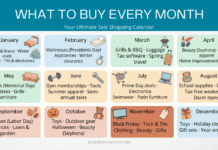
Before you shop, check our complete monthly shopping calendar to time your purchases for the lowest prices.
Image disclosure: Images in this post are AI-generated and used for illustrative purposes only. They do not depict real people or events. See our full AI disclosure policy.
? Disclaimer
ShopaholicMommy is a family lifestyle blog — we are not licensed financial advisors, tax professionals, investment advisors, or attorneys. The information in this article is for general educational and informational purposes only, and is not intended as personalized financial, tax, investment, or legal advice. We do our best to keep information current and accurate, but details change — especially for programs, rates, card benefits, and tax rules. Always consult a qualified professional before making important financial decisions for your family. Full Disclaimer ?